GTA 4 mods only work on PC. Start with FusionFix: unpack its archive into the folder that contains the game's exe. It fixes many issues of GTA IV: The Complete Edition and ships with Ultimate ASI Loader (dinput8.dll), which the other ASI mods rely on. Older mods may need a downgraded version of the game, and mods must stay out of multiplayer.
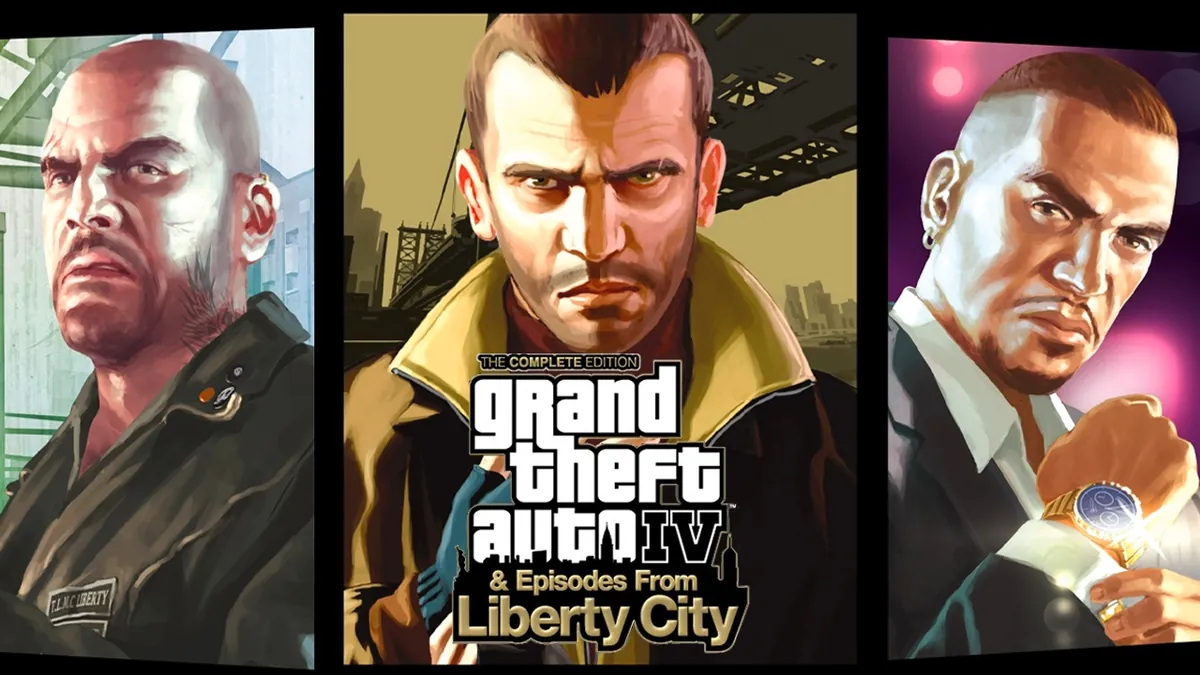
Know which version you own before you download anything. GTA IV: The Complete Edition is the one on sale today. It replaced GTA IV and Episodes from Liberty City on Steam on 19 March 2020, it includes both episodes, and saves from the old versions stay compatible. Everything on this page starts from that version. The older 1.0.7.0 and 1.0.8.0 builds have their own section below. Compatibility notes were checked in October 2026.
FusionFix is the mod to install first. It is the work of ThirteenAG, and it repairs graphical and gameplay problems of the Complete Edition while adding a long list of options to the in-game menu: field of view, an FPS limiter, FXAA or SMAA anti-aliasing, separate switches for motion blur and depth of field, a Vulkan graphics option, and optional snow and Halloween looks. It fully supports the Complete Edition. It also carries Ultimate ASI Loader inside, as dinput8.dll, so on this version you do not install a loader separately.
The other tools only matter in specific cases, and what they accept depends on whether the game is the Complete Edition or a downgraded copy.
| Tool | What it does | Complete Edition | Downgraded 1.0.7.0 or 1.0.8.0 |
|---|---|---|---|
| FusionFix | Fixes, new menu options, the ASI loader and a mod loader that reads the update folder | Full support | Partial support, needs the Legacy Addon |
| Ultimate ASI Loader | Loads .asi mods | Yes, bundled with FusionFix | Yes |
| FusionFix Legacy Addon | Lets FusionFix run on the old versions | Not needed | Required |
| ZolikaPatch | Fixes and improvements for the old versions | Not made for it | Yes |
| IV-SDK .NET | Runs script mods written in .NET languages | Not listed as supported | Yes, 1.0.7.0 and 1.0.8.0 are the only versions it lists |
| OpenIV | Edits the game's .img archives | Yes | Yes |
In practice, the Complete Edition needs FusionFix and nothing else to start. The rest of the table is for the smaller group of players who downgrade.

The order matters more than the speed. Install the game, add FusionFix, start the game once to check it works, then add other mods one at a time.
Install GTA IV: The Complete Edition from Steam or the Rockstar Games Launcher, then find the folder that holds the game's exe. On Steam, right-click the game, choose Manage, then Browse local files. Download GTAIV.EFLC.FusionFix.zip from the project's GitHub page and unpack it into that folder. Web and Offline installers are also offered.
Start the game and press Esc. FusionFix is working if the Settings menu now shows many new options, notably a Game tab full of switches. The package also uses a plugins folder and an update folder next to the exe, and you will use both for other mods.
If an older ASI loader left a dsound.dll in the folder, delete it, because FusionFix's dinput8.dll replaces it. Ultimate ASI Loader, which loads the .asi mods, comes with FusionFix, and it picks up .asi files from the plugins folder as well as from the game folder itself. Every ASI mod depends on that one file being in place.
Many GTA IV mods ship as an update folder. Copy the whole folder into the game's root folder and FusionFix's mod loader, Fusion OverLoader, uses those files in place of the originals without touching them. To undo the mod, delete its folder. Older mods and large texture packs instead edit the game's .img archives with OpenIV, which overwrites the original files, so back up whatever you replace before you start.
Script mods usually need a ScriptHook for GTA IV on top of the ASI loader. Some mods written in .NET run on IV-SDK .NET, which lists only versions 1.0.7.0 and 1.0.8.0 as supported, so a mod that depends on it means downgrading. Install each mod following its own instructions, then test the game after each one. Many older scripts were made for earlier versions and do not work on the Complete Edition.
Launch the game after every mod and load a save before you install the next one. When something breaks, the last mod you added is the suspect, and you can remove it alone. Some mods that change map data also need a fresh save to behave, so read the mod's notes before you load an old one.
| Kind of mod | Where it goes | Good to know |
|---|---|---|
| An .asi plugin | The plugins folder in the game folder | Needs the ASI loader, which comes with FusionFix |
| An update-folder mod | Copy the whole update folder into the game folder | Delete it to undo; originals stay untouched |
| An .img archive edit | Done in OpenIV with edit mode on | Overwrites originals, so keep a backup |
| A .NET script | As the mod's own instructions say | IV-SDK .NET mods need a downgraded game |

The Complete Edition, the version sold today, is the only one FusionFix fully supports, and for most players it is the right choice. Some older mods were built for earlier releases, which is why some players downgrade the game to version 1.0.7.0 or 1.0.8.0.

The older builds work with mods built on IV-SDK .NET, with ZolikaPatch and with the older mods that only list those versions. On a downgraded game, FusionFix also needs its Legacy Addon, and even then it supports those versions only in part.
You lose some FusionFix fixes, because it only partly supports the older builds. Achievements can stop unlocking on a downgraded copy. A save has to be converted between the Complete Edition and an older build, so a Complete Edition save will not simply load.
ZolikaPatch is for those old versions only. Its own page lists 1.0.8.0 and 1.0.7.0, plus 1.0.4.0 and 1.0.0.0, and does not list the Complete Edition. Skip it unless you downgrade.
| Your goal | Version | Why |
|---|---|---|
| Better visuals and fewer bugs, nothing exotic | Complete Edition | FusionFix supports it fully, and your saves stay compatible |
| A mod built on IV-SDK .NET | 1.0.7.0 or 1.0.8.0 | Those are the only versions it lists |
| An older mod that only lists 1.0.7.0 or 1.0.8.0 | 1.0.7.0 or 1.0.8.0 | The mod was built for those builds |
| Linux or Steam Deck | Complete Edition | FusionFix covers it, with Steam Deck button icons and Linux notes of its own |
If you do want an older build, back up your saves first, because they have to be converted.

In single player, within limits. Take-Two has said it generally does not take action against single-player, non-commercial PC mods that respect other people's intellectual property. That does not cover multiplayer, tools that could affect online services, other IP, or new games, stories, missions or maps. FusionFix's own page quotes this policy and says multiplayer is not supported. Rockstar's Mod Guidelines, dated 10 September 2026, also forbid cheat menus or software that interferes with online play.
Official multiplayer left the PC game in 2020: the Complete Edition does not include it. Some players still use multiplayer on downgraded copies, but those setups sit outside the policy above and outside this guide. FusionFix itself forbids forks or derivatives meant for multiplayer, so single player is where GTA IV mods live.

No. The tools on this page are for the PC version. On console, the phone numbers on our GTA 4 cheat codes page are the way to change the game.
Most GTA IV trouble after modding comes from a handful of causes. These are the ones to check first, as of October 2026.
Cap the frame rate. In FusionFix's Graphics tab, set the FPS limiter to 60, or to 30 if the problem stays. Without a cap, cutscenes and physics can break at high frame rates, and the helicopter in the last mission can be impossible to get into.

FusionFix can skip the intro and the main menu. Open the Game tab of the Settings menu and switch Skip Menu off to get the menu back. The same switch is why some players never see the screen that lets them pick GTA IV, The Lost and Damned or The Ballad of Gay Tony.
FusionFix can run the game through Vulkan, using DXVK: choose Vulkan as the graphics API in its settings and restart the game. If the game still struggles, lower the graphics settings.
ZolikaPatch is not made for the Complete Edition, so if The Lost and Damned or The Ballad of Gay Tony fail after you installed it there, remove its files. On a downgraded game, the episodes can vanish instead. ZolikaPatch can load them in the base game, and its LoadDLCs setting controls that.
The Complete Edition shipped with some songs removed, and three stations, RamJam FM, Self-Actualization FM and Vice City FM, were listed as temporarily unavailable at its Steam relaunch in March 2020. Community tools exist that restore cut songs.
FusionFix's page has steps for Proton and Wine users. They need a DLL override for dinput8: set the Steam launch option to WINEDLLOVERRIDES="dinput8=n,b" %command%.
| Symptom | First thing to try |
|---|---|
| Broken cutscenes, odd physics | FPS limiter at 60, or 30 |
| Game skips the menu | Skip Menu off, in the Game tab |
| Stutter | Lower the graphics settings, or try the Vulkan API and restart |
| Episodes fail on the Complete Edition | Remove ZolikaPatch |
| Episodes missing on a downgraded game | Check ZolikaPatch's LoadDLCs setting |
| Nothing works after several mods | Disable mods one by one, starting with the .asi files |
The GTA 4 map, the fastest cars, the two endings, the GTA 5 mods guide and current PC prices in our GTA 4 price comparison.